
Our work
Inventory Management System
An inventory management system we built to keep item records, stock levels and stock value in one place, with clear views of what is running low and reports that export to Excel.
Elpisoft product · Web application · No public link
 (opens the full-size image in a new tab)
The problem
The problem it addresses
When stock is tracked in spreadsheets or on paper, it is hard to see what is on hand, what is running low and what it is all worth, and preparing reports for audits or reordering takes time.
The system
What we built
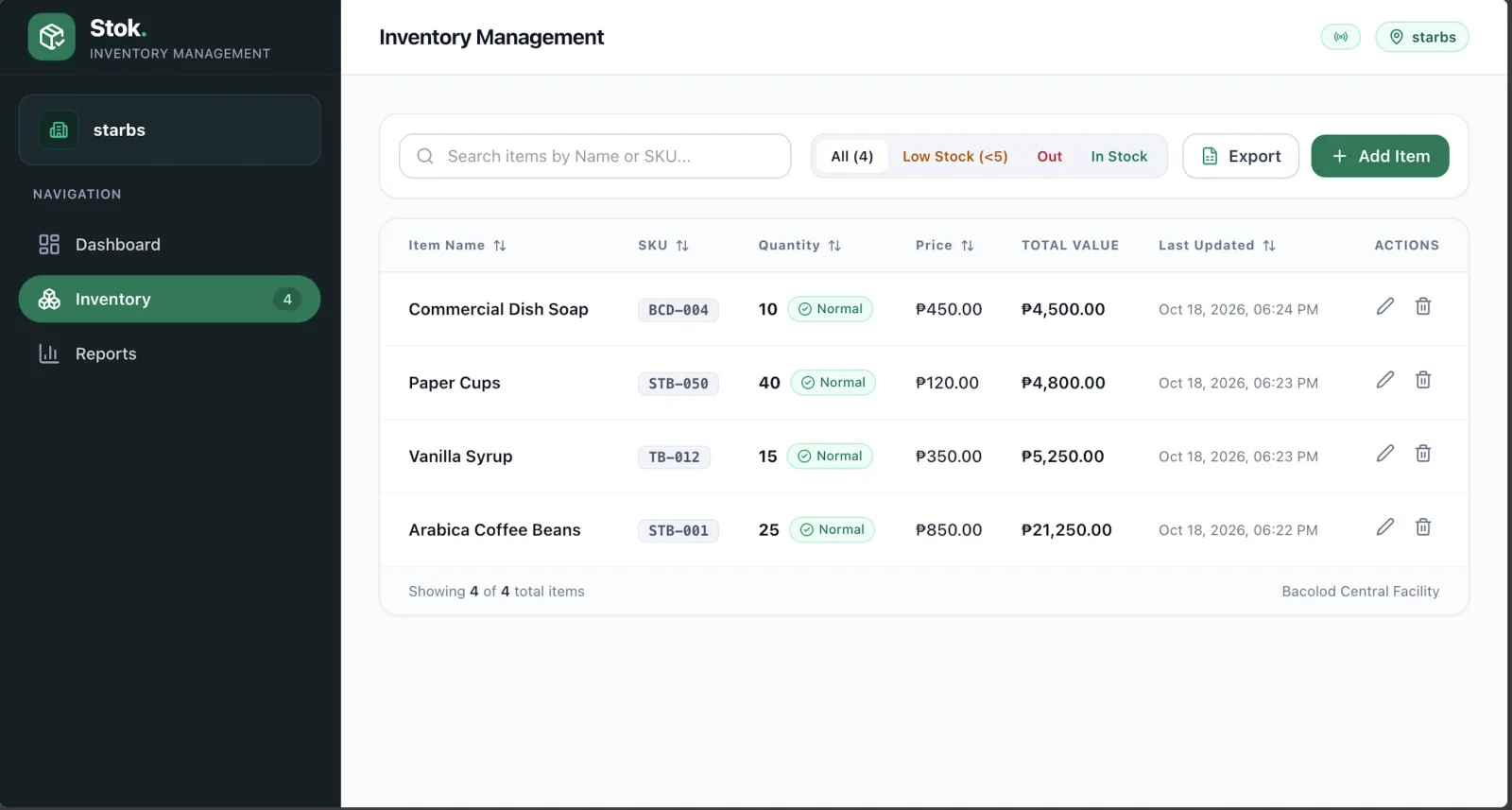
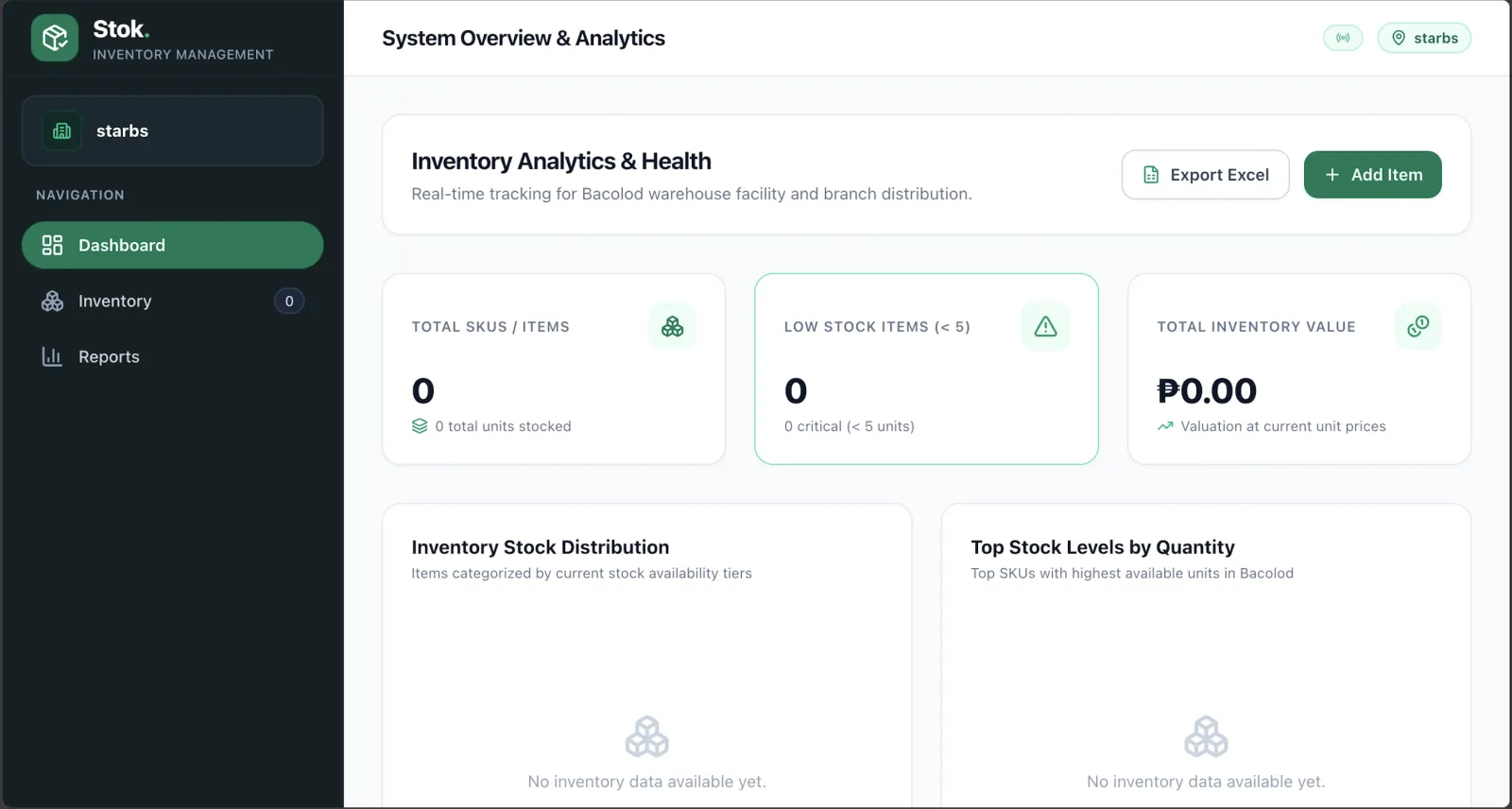
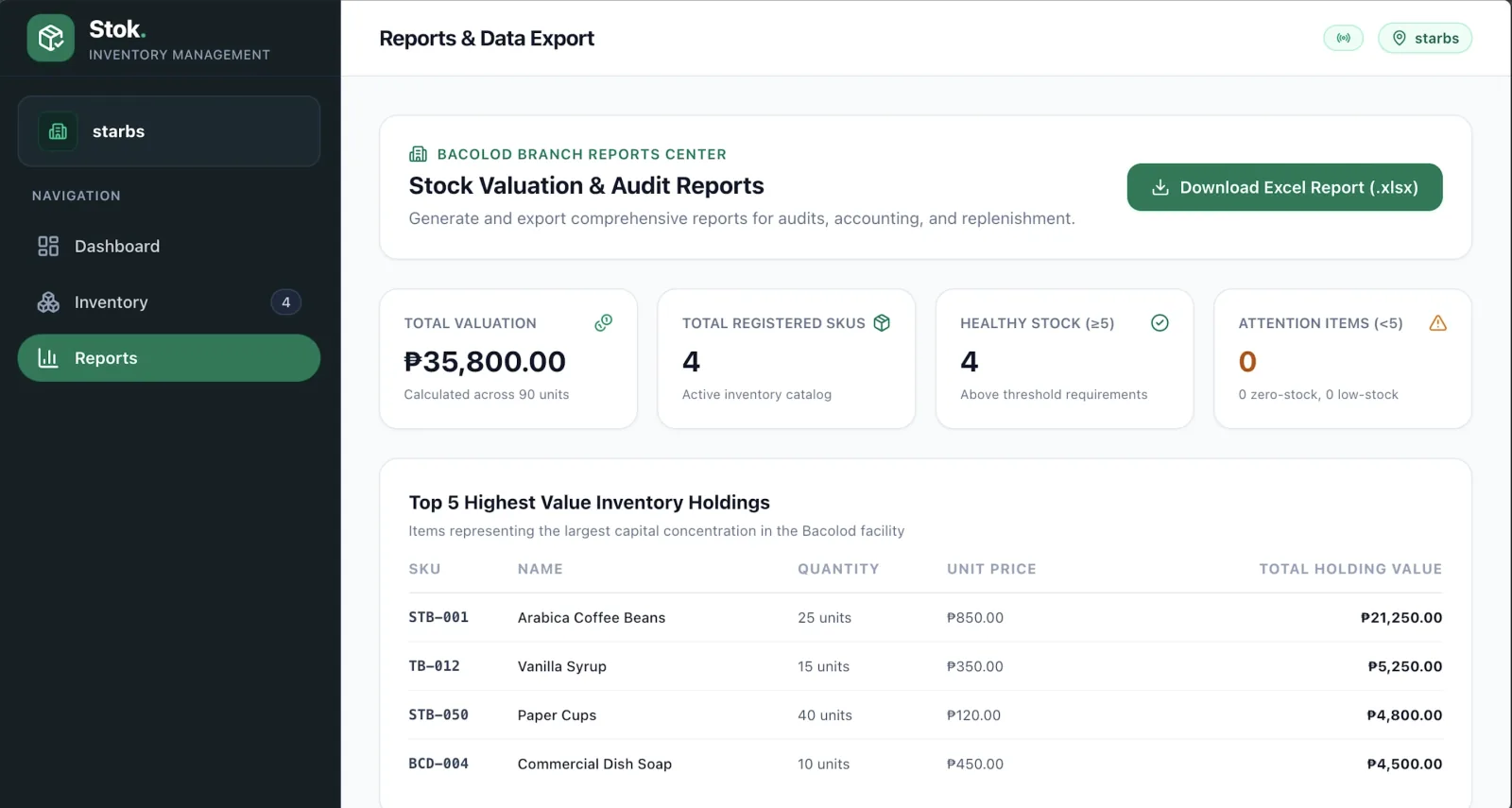
This system puts the answers on screen: every item with its SKU, quantity, price and stock value, a dashboard that summarises stock health, and reports that can be downloaded as an Excel file.
What it does
Capabilities shown in the screens
Getting started
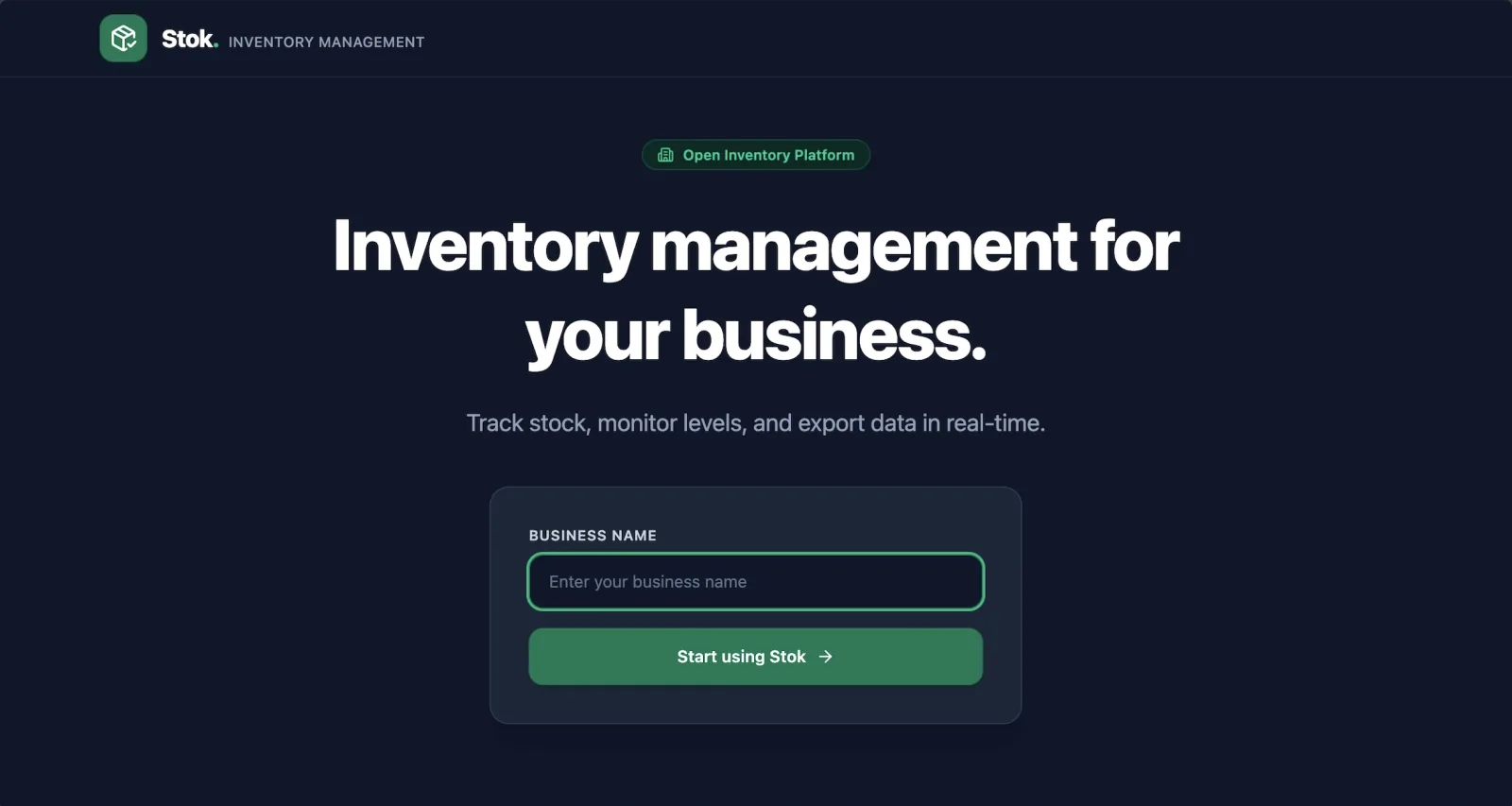
- A start screen where a business enters its name to begin
Dashboard overview
- Total items and total units in stock
- Count of low-stock items (fewer than 5 units)
- Total inventory value at current unit prices
- Shortcuts to add an item and export to Excel
Item records
- Name, SKU, quantity, unit price and total value for every item
- Last-updated time on each record
- Add, edit and delete actions
Finding stock
- Search by item name or SKU
- Filters for all, low-stock, out-of-stock and in-stock items, with a count
- Sortable columns
Stock health
- A status badge on every item
- Healthy stock and attention items counted separately
- Zero-stock and low-stock items called out
Reports and export
- Total stock valuation and the number of registered SKUs
- The five highest-value items in stock
- Excel (.xlsx) report download
The screens
A closer look
Select a screen to view it full size.
 (opens the full-size image in a new tab)
 (opens the full-size image in a new tab)
 (opens the full-size image in a new tab)
Why it helps
What this means for your business
See what you have, and what it is worth, at a glance.
Spot low and out-of-stock items before they become a problem.
Hand over Excel reports for audits, accounting and reordering.
Services used: Custom software, Web applications, Inventory management systems
Industry: Retail and e-commerce
Start a project
Need an inventory system like this?
Tell us what you are trying to build. We will reply with honest next steps and a realistic view of timing.
Or email us at [email protected]